Navigating the world of gaming GPUs can feel overwhelming for busy gamers balancing life and play. This comprehensive guide simplifies how much GPU is good for gaming, ensuring you get the best visual experience and performance without breaking the bank or wasting precious gaming time. We'll cover everything from understanding specifications and matching your GPU to your monitor, to budget-friendly upgrade strategies and future-proofing your setup. Discover practical tips to choose a graphics card that perfectly fits your gaming habits, whether you're into casual social games, competitive esports, or immersive single-player adventures. Learn how to optimize your current setup and make informed decisions for your next upgrade, helping you relax, have fun, and build skills without the hype.
What factors primarily determine how much GPU is good for gaming?
The core factors that determine "how much GPU is good for gaming" are your desired monitor resolution (e.g., 1080p, 1440p, 4K), your monitor's refresh rate (e.g., 60Hz, 144Hz), the graphical intensity of the games you play, and your personal budget. A casual gamer aiming for 1080p at 60 FPS in older titles will have vastly different GPU needs than an esports enthusiast targeting 1440p at 144 FPS in competitive shooters or an immersive player wanting 4K ray tracing. Aligning these elements ensures you get optimal performance for your specific use case without overspending.
Why is VRAM capacity so important when choosing a gaming GPU?
VRAM, or Video Random Access Memory, is crucial because it acts as a dedicated high-speed storage buffer for your GPU. It holds game assets like textures, models, and frame buffers, allowing the GPU to access them instantly. Insufficient VRAM, especially at higher resolutions (1440p, 4K) or with demanding texture packs, forces the GPU to offload data to slower system RAM, leading to significant performance drops, stuttering, and an overall poor gaming experience. Having enough VRAM ensures smooth asset loading and consistent frame delivery, preventing bottlenecks and maintaining visual fidelity.
How does my monitor's refresh rate influence my GPU choice?
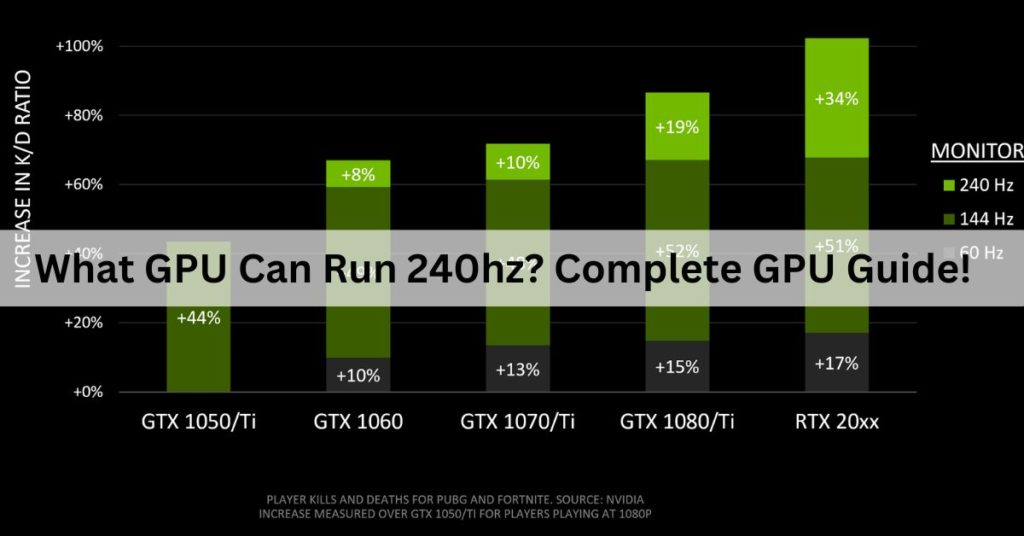
Your monitor's refresh rate directly impacts how many frames per second (FPS) you can visually perceive, and thus, how powerful your GPU needs to be. To fully utilize a 144Hz monitor, your GPU needs to be capable of consistently pushing 144 FPS or higher in your desired games. If you have a powerful GPU but a 60Hz monitor, you'll only see 60 frames per second, wasting your GPU's potential. Conversely, a weak GPU on a high refresh rate monitor will result in tearing or lower effective refresh rates. Matching your GPU's performance potential to your monitor's refresh rate is key for a truly smooth and immersive gaming experience.
What are the best value GPUs for 1440p gaming in 2026?
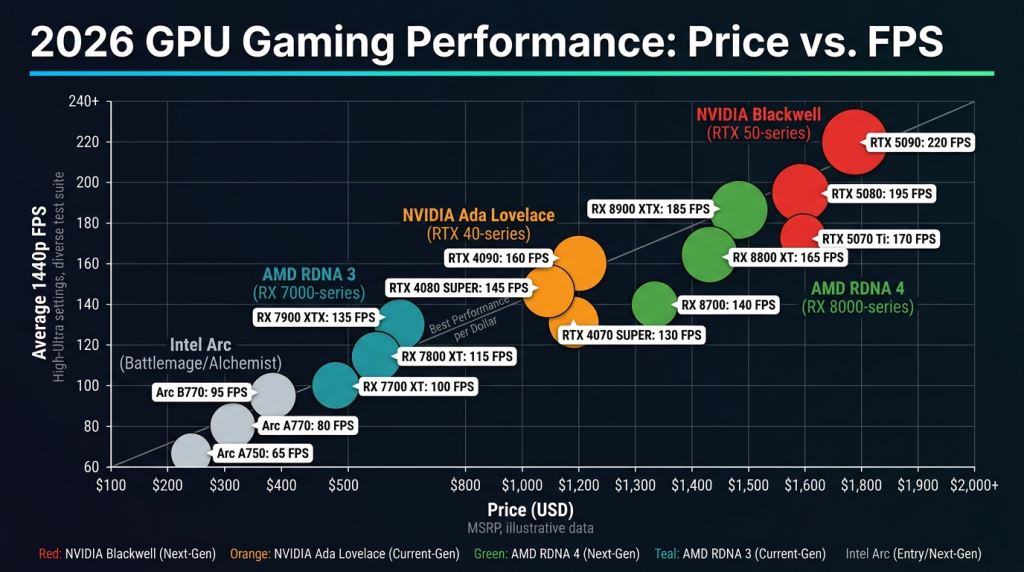
For 1440p gaming in 2026, excellent value can often be found in cards like the Nvidia RTX 4070 SUPER or AMD RX 7800 XT. These GPUs strike a fantastic balance between performance and price, consistently delivering high frame rates (often 80-120+ FPS) in most modern AAA titles at 1440p with high to ultra settings. They also come with ample VRAM (typically 12GB or 16GB) to handle demanding textures and future games. For those on a slightly tighter budget, last-generation's RTX 3070 Ti or RX 6800 XT can still offer competitive performance at reduced prices if found on sale.
Can I just upgrade my GPU or do I need a new CPU too?
It depends. While a GPU upgrade provides the most significant performance boost for gaming, a powerful new GPU can be "bottlenecked" by an older, slower CPU. If your CPU can't process game logic and feed instructions to the GPU fast enough, your new GPU won't be able to perform at its full potential, especially in CPU-intensive games or at lower resolutions. You might experience lower-than-expected frame rates or inconsistent frame pacing. A general rule is to ensure your CPU is no more than 2-3 generations older than your GPU to maintain a balanced system. Checking benchmarks with similar CPU/GPU pairings can help you assess potential bottlenecks.
How do upscaling technologies like DLSS and FSR affect GPU choice?
Upscaling technologies like Nvidia's DLSS and AMD's FSR have become vital for extending the life and performance of gaming GPUs. They allow games to render at a lower internal resolution and then intelligently upscale the image to your monitor's native resolution, providing a significant boost in frame rates with often minimal perceived loss in visual quality. This means you might be able to achieve playable frame rates at 4K with a 1440p-class GPU by using DLSS or FSR, or push ultra settings on a mid-range card. When choosing a GPU, consider which of these technologies it supports, as they can dramatically impact your practical performance and graphical fidelity ceiling, essentially allowing you to get "more" out of a less expensive card.
What is the average lifespan of a good gaming GPU before it needs replacing?
A good gaming GPU, particularly one in the mid-to-high tier, typically has a comfortable lifespan of 3 to 5 years before it struggles to run new AAA titles at desirable settings and frame rates. After this period, you might find yourself needing to reduce graphical settings significantly or accept lower frame rates. However, for less demanding games or if you're content with 1080p 60 FPS, a GPU can last even longer. Factors like maintenance, dust levels, and proper cooling can also influence its physical longevity. The rapid pace of game engine advancements is usually the primary driver for wanting a replacement.
Ever feel like you’re caught in a never-ending cycle of GPU upgrades just to keep up with the latest games? You're not alone. Many of us, especially those juggling jobs, families, and life's endless demands, want to dive into our favorite games without the headache of constant hardware worries. We game to relax, to connect with friends, to build skills, and sometimes, just to escape for a bit. But knowing how much GPU is good for gaming for your specific needs can be a real puzzle, especially when new cards seem to drop every other month with dizzying specs.
The truth is, you don't always need the absolute top-tier GPU to have a fantastic gaming experience. What you need is the right GPU for your monitor, your games, and your budget. With 87% of US gamers regularly playing and averaging over 10 hours a week, and social gaming trends continuing to dominate, optimizing your setup for enjoyment and value has never been more critical. This guide is built for you: the practical gamer who values performance, but also smart spending and peace of mind. We'll cut through the marketing noise, address common performance issues, and help you pick a graphics card that will bring you joy, not buyer's remorse.
We’ll cover everything from understanding core GPU metrics to specific recommendations for different resolutions and game types. Our goal is to empower you with the knowledge to make informed decisions, ensuring your gaming rig delivers smooth, beautiful visuals without demanding an unreasonable investment of your time or money. Let’s demystify the GPU market together so you can get back to what matters most: playing your games.
What Exactly Does a GPU Do for Gaming?
A Graphics Processing Unit, or GPU, is the dedicated powerhouse in your computer responsible for rendering all the images you see on your screen. Think of it as the artist of your PC, painting every frame, pixel by pixel, to create the immersive worlds you explore. It handles complex calculations for textures, lighting, shadows, and models, translating game code into the vibrant visuals you experience. Without a capable GPU, even the fastest CPU would struggle to deliver smooth, high-fidelity graphics, resulting in stuttering gameplay and low frame rates. Its importance for gaming cannot be overstated.
Modern GPUs also play a role in accelerating other tasks, like video editing or AI computations, but their primary function in gaming is to generate and output frames as quickly and beautifully as possible. This directly impacts your frame rate (FPS) and visual quality settings, which are crucial for an enjoyable gaming experience, especially in fast-paced or graphically intensive titles.
How Do I Determine "How Much GPU Is Good For Gaming" for My Needs?
Determining the right GPU largely depends on three key factors: your monitor's resolution and refresh rate, the types of games you play, and your budget. For example, a 1080p monitor at 60Hz requires significantly less graphical horsepower than a 4K monitor at 144Hz. Casual games like Stardew Valley or Among Us demand far less than AAA titles like Cyberpunk 2077 or Alan Wake 2. Your budget dictates the tier of GPU you can realistically aim for. Understanding these elements is the first step in making a smart choice without overspending on features you don't need or underspending and being disappointed.
Consider your current setup. Do you have a 1440p monitor? Are you hoping to hit 120 FPS in competitive shooters? Or are you content with 60 FPS in single-player adventures? Your answers will narrow down the field considerably. It's about finding the sweet spot where performance meets your personal gaming preferences and financial constraints.
What GPU Specifications Matter Most for Gaming?
When looking at GPU specs, several metrics are crucial. First, the GPU core architecture (e.g., Nvidia's Ada Lovelace or AMD's RDNA 3) indicates its generation and efficiency. VRAM (Video Random Access Memory) is vital; it's the dedicated memory the GPU uses to store textures, frame buffers, and other graphical data. For 1080p gaming, 8GB of VRAM is generally sufficient, but for 1440p and especially 4K, 12GB or even 16GB becomes increasingly important. Clock speed influences how fast the GPU processes data, while CUDA cores (Nvidia) or Stream Processors (AMD) indicate the number of parallel processing units. A higher number usually means more raw power. Finally, TDP (Thermal Design Power) gives you an idea of its power consumption and heat output, which impacts your power supply and cooling needs.
Don't get bogged down by every single number. Focus on VRAM, the core architecture, and benchmark comparisons for the games you actually play. Reviews and real-world performance tests are often more indicative of a GPU's actual capability than raw spec sheets alone. Always cross-reference multiple sources before making a decision.
Is More VRAM Always Better for Gaming Performance?
While more VRAM is generally better, it's not the sole determinant of performance and it diminishes returns past a certain point for a given resolution. VRAM stores game assets that the GPU needs to render, so having enough prevents texture pop-in and stuttering, especially at higher resolutions and with high-quality texture packs. If your VRAM is insufficient, the GPU has to offload data to slower system RAM, causing significant performance drops and stuttering. For most 1080p gaming, 8GB is a comfortable amount, handling nearly all current titles. For 1440p, 12GB is becoming the new sweet spot, allowing for higher texture settings and future-proofing. For 4K gaming or future titles with demanding assets, 16GB+ is highly recommended to maintain smooth performance and visual fidelity.
However, a GPU with a huge amount of VRAM but a weak core processor won't perform as well as a balanced card. For instance, a budget card with 16GB VRAM might still struggle with 4K gaming if its processing cores aren't powerful enough. It's about the right balance for your target resolution and game settings. Think of it like a library: you need enough shelves (VRAM) for your books (game assets), but you also need a fast librarian (GPU core) to find them quickly.
What GPUs Are Recommended for Different Resolutions (1080p, 1440p, 4K)?
Choosing a GPU based on your monitor's resolution is one of the most practical approaches. Here’s a general guideline for achieving solid performance (60+ FPS on high settings) in most modern AAA titles, keeping in mind that actual performance varies by game and specific settings:
- 1080p Gaming (High Refresh Rate): For competitive gamers targeting 144Hz+ or those who simply want smooth 60+ FPS on high settings, cards like the Nvidia RTX 4060 Ti or AMD RX 7700 XT are excellent choices. Older generation cards like the RTX 3060 Ti or RX 6700 XT still offer great value if found at a good price. These GPUs provide ample power for high frame rates without breaking the bank.
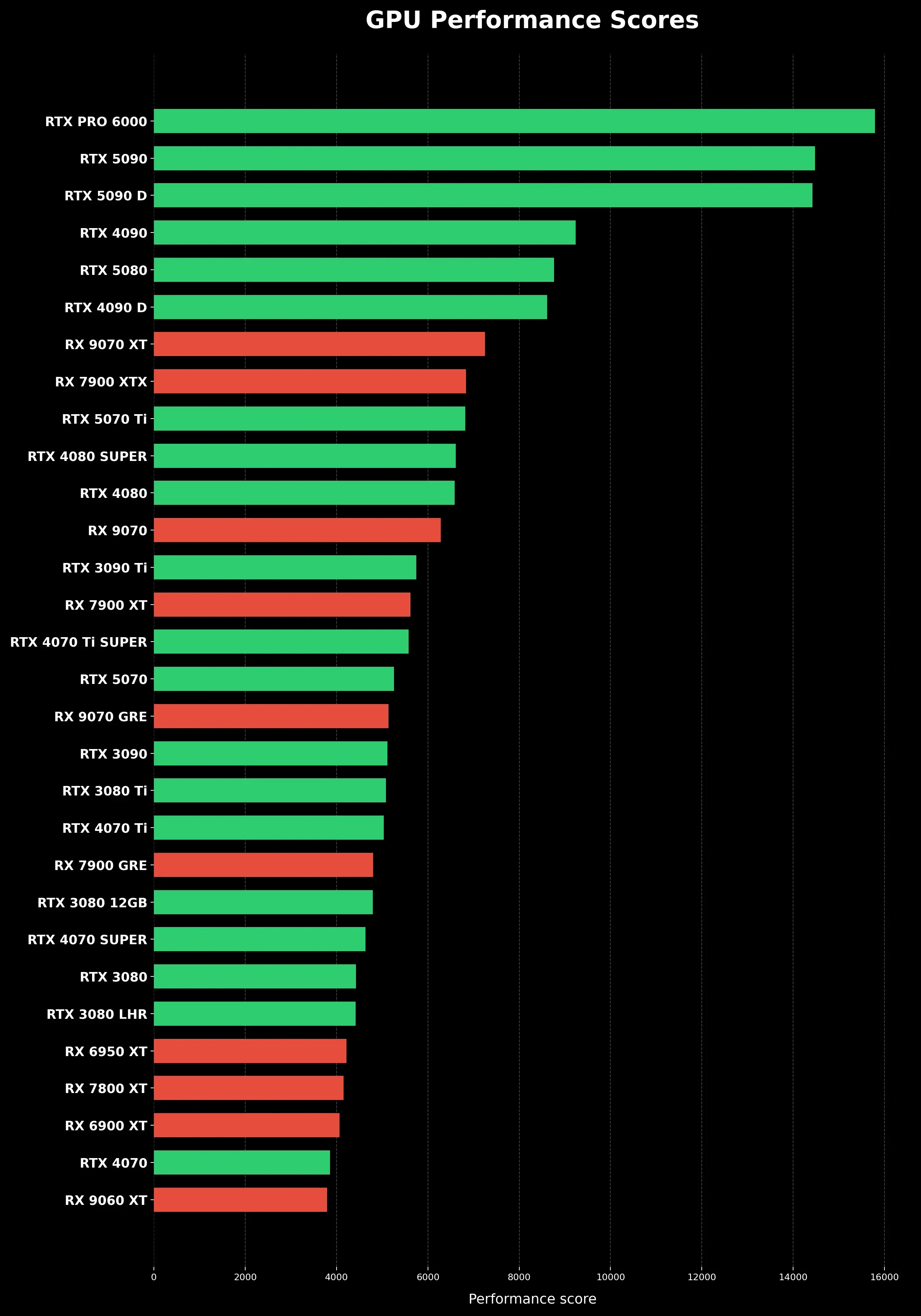
- 1440p Gaming (High Refresh Rate): This is arguably the sweet spot for many gamers today, balancing visual fidelity with performance. The Nvidia RTX 4070 SUPER or AMD RX 7800 XT are prime contenders here, offering robust performance for 1440p at 100+ FPS in many games. For those pushing 144Hz or higher consistently, the RTX 4070 Ti SUPER or RX 7900 XT are strong upgrades, offering more headroom for demanding titles and future games.
- 4K Gaming (60+ FPS): This is where you need serious horsepower. The Nvidia RTX 4080 SUPER or AMD RX 7900 XTX are the entry points for comfortable 4K gaming at 60+ FPS on high settings. For uncompromising performance, especially with ray tracing enabled, the flagship Nvidia RTX 4090 remains the king. These cards are a significant investment, but they deliver unparalleled visual experiences.
Remember, these are general recommendations. Always check current benchmarks for the specific games you play most frequently.
How Do I Future-Proof My GPU Purchase Without Overspending?
True "future-proofing" is a myth in PC hardware, as technology constantly evolves. However, you can make a smart, long-term purchase by focusing on key aspects. First, consider buying a GPU that slightly exceeds your current needs. If you're currently gaming at 1080p, a strong 1440p card gives you room to upgrade your monitor later without needing a new GPU immediately. Second, prioritize VRAM: aiming for 12GB or more for mid-range to high-end cards will help prevent bottlenecks as game textures become more demanding. Third, look for cards with good support for current and emerging technologies like DLSS, FSR, and ray tracing, even if you don't use them extensively now. These features can extend the playable life of your card at higher settings.
Don't chase the absolute bleeding edge unless you have an unlimited budget. A balanced approach means investing in a solid performer that provides excellent value today and holds its own for the next 3-4 years. Check review cycles; typically, a new generation of cards arrives every 2 years, so buying in the middle of a generation often yields good value. For many busy gamers, a reliable mid-to-high-tier card offers the best balance of performance, longevity, and cost.
Does My CPU or RAM Impact My GPU's Performance?
Absolutely. Your CPU and RAM are crucial components that work in tandem with your GPU, and they can significantly impact overall gaming performance. A powerful GPU can be "bottlenecked" by an older or slower CPU, meaning the CPU can't feed data to the GPU fast enough, preventing the GPU from reaching its full potential. This is particularly noticeable in CPU-intensive games or at lower resolutions where the GPU isn't working as hard. Similarly, insufficient or slow RAM can also cause bottlenecks, leading to stuttering and slower load times. For gaming, 16GB of fast DDR4 or DDR5 RAM is the current standard, with 32GB offering more headroom for multitasking and future titles.
When upgrading, aim for a balanced system where no single component severely limits the others. A general rule of thumb is to allocate about 30-40% of your total gaming PC budget to the GPU, and then ensure your CPU and RAM are powerful enough to keep up. Research "bottleneck calculators" online, though take them with a grain of salt, as real-world performance varies. Focus on reputable reviews that test various CPU/GPU pairings.
How Can I Get the Best Gaming Performance Out of My Existing GPU?
Before splurging on a new GPU, there are several ways to optimize your current card's performance. First, ensure your drivers are always up-to-date; Nvidia and AMD frequently release updates that include performance improvements for new games. Second, manage your in-game graphics settings. Experiment with reducing demanding settings like anti-aliasing, shadow quality, or volumetric clouds if you're struggling to hit your desired frame rate. Resolution scaling (using FSR or DLSS) can render games at a lower resolution and then upscale them, offering significant FPS boosts with minimal visual impact. Third, monitor your GPU's temperatures; overheating can cause thermal throttling, reducing performance. Ensure good case airflow. Finally, if comfortable, a slight overclock of your GPU can squeeze out a few extra frames, though proceed with caution and follow guides carefully.
These steps can often make a noticeable difference and allow you to enjoy newer titles without an immediate upgrade. Many busy gamers find these tweaks invaluable for maintaining a smooth experience without constant hardware changes.
When Is the Best Time to Upgrade My GPU?
For many gamers balancing life, the "best time" to upgrade is less about market cycles and more about your personal needs and pain points. If your current GPU consistently fails to deliver playable frame rates (e.g., below 60 FPS at your desired resolution/settings) in the games you want to play, or if you're experiencing frequent stuttering and crashes, it's probably time. Another indicator is if a new monitor purchase (e.g., upgrading from 1080p to 1440p) makes your existing card feel inadequate. Waiting for the absolute "perfect" moment is often futile, as GPU prices and availability can be unpredictable. Instead, set a budget, identify your performance goals, and keep an eye on reputable reviews and sales. The current market trends, as of 2026, suggest a more stable pricing environment, making it a decent time for strategic upgrades. Don't let FOMO drive your decision; let your actual gaming experience guide you.
Navigating the complex world of gaming GPUs doesn't have to be a source of stress. By understanding your specific needs—your monitor, your games, and your budget—you can make an informed decision about how much GPU is good for gaming for you. Remember, it's not always about having the most expensive card; it's about finding the right balance that delivers a smooth, enjoyable experience without unnecessary financial strain. Whether you're optimizing your current setup or planning your next big upgrade, empowering yourself with knowledge is key to spending smart and gaming happy.
We hope this guide helps you cut through the noise and get back to what truly matters: relaxing, having fun, and connecting with your gaming community. What's your biggest gaming challenge when it comes to hardware? Comment below and share your thoughts!
What is the most important spec for a gaming GPU?
While many specs contribute, VRAM capacity (especially for higher resolutions) and the GPU's core architecture (indicating its generation and raw processing power) are generally the most critical for gaming performance. A good balance between these ensures smooth gameplay and high visual fidelity.
Can I game on a PC without a dedicated GPU?
Yes, but only for very light gaming. Many modern CPUs have integrated graphics (iGPUs) that can handle older games, indie titles, or non-demanding esports at low settings and 1080p. For anything graphically intensive or aiming for higher frame rates, a dedicated GPU is essential.
How often should I upgrade my graphics card?
Most gamers find an upgrade every 3-5 years to be a good balance, especially if you buy a mid-to-high-range card. This allows you to skip minor generational bumps and benefit from more significant performance leaps. Competitive gamers or those always chasing the absolute best may upgrade every 2 years.
Is Ray Tracing important for gaming GPUs?
Ray tracing is an advanced lighting technology that creates incredibly realistic shadows, reflections, and global illumination. While visually stunning, it's very demanding. Modern GPUs from Nvidia (RTX) and AMD (RX 6000/7000 series) support it, but you'll need a powerful card to enable it with playable frame rates, often relying on upscaling technologies like DLSS or FSR.
What's the difference between DLSS and FSR?
DLSS (Nvidia's Deep Learning Super Sampling) and FSR (AMD's FidelityFX Super Resolution) are both upscaling technologies that boost frame rates by rendering games at a lower internal resolution and then intelligently reconstructing them to your target resolution. DLSS uses AI and dedicated Tensor Cores on RTX cards, often yielding slightly better image quality, while FSR is open-source and compatible with a wider range of GPUs.
Should I buy an Nvidia or AMD GPU?
Both Nvidia and AMD offer excellent gaming GPUs, and the "better" choice often depends on your budget, specific game preferences, and feature needs. Nvidia typically holds an edge in raw ray tracing performance and offers DLSS, while AMD often provides strong rasterization performance and FSR support across more cards, sometimes at more competitive price points. Benchmarks for your favorite games are the best guide.
Optimizing gaming performance with the right GPU, Balancing budget and power for graphics cards, Understanding GPU specs for modern games, Future-proofing your gaming setup, Maximizing visual quality without overspending, Navigating GPU upgrades for busy gamers, Choosing a GPU for casual vs competitive play, How much VRAM is enough for gaming
35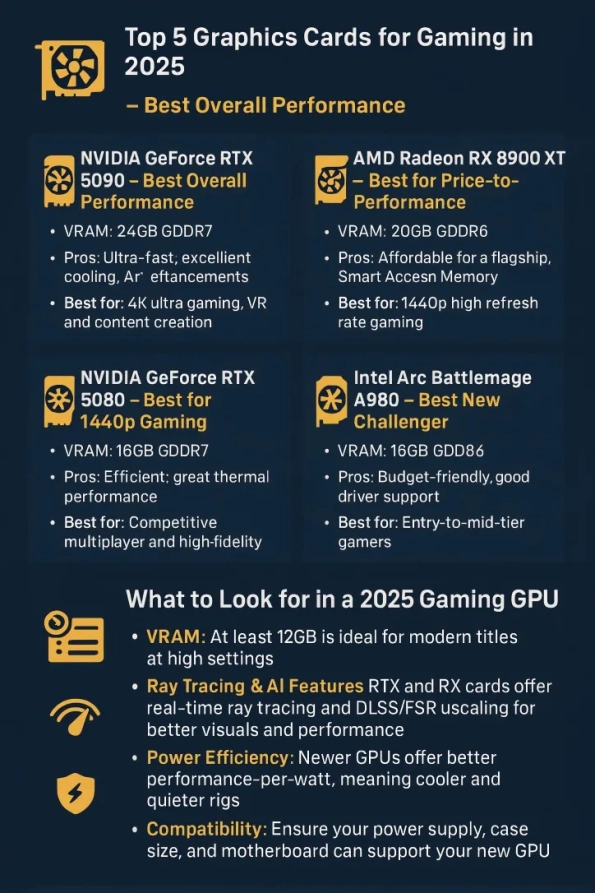

Best Graphics Cards 2026 Ultimate GPU Buyer S Guide Best Graphics Cards For Gaming. RTX 50 Series Vs AMD RDNA 4 Best GPU For Gaming At Every Price Tier In 1.3 3 1024x572 . Best Budget Gaming GPU 2026 Top Picks Under 200 Switchblade Gaming Best Budget Gaming Gpu 2026 Intext Budget Gpu. Best Graphics Card 2026 Comparison Ranking And Buying Guide For PC Gpu Performance Scores Clean Vertical. 13 Best GPUs For Gaming 2026 Top Graphics Cards Ranked Banner 5

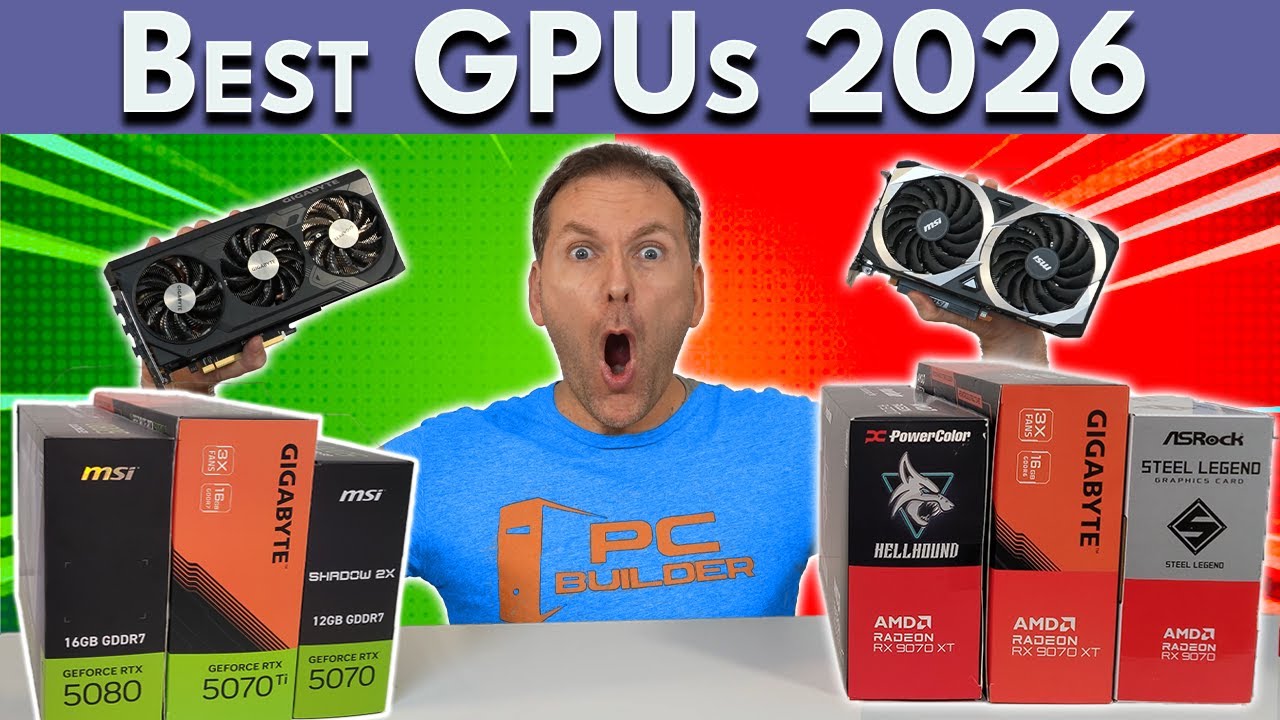


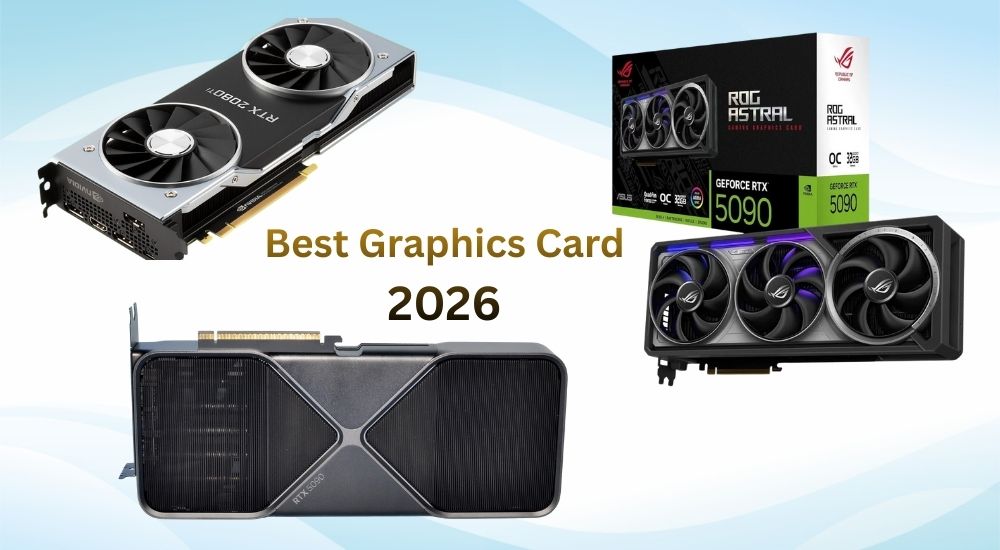
Best Mid Range GPU 2026 Sweet Spot Picks Switchblade Gaming Best Mid Range Gpu 2026 Mid Range Gpu Benchmark. An Lisis De Precios De Tarjetas Gr Ficas En 2026 Comprar Ahora O . Best Graphics Cards For Gaming In 2026 Tech2Geek Img . ASUS Graphics Card Deals April 2026 Best Exclusive GPU Discounts You New Year Graphics Card Deals 2026 Discounts On NVIDIA AMD ASUS More . Best Graphics Card 2026 Top GPUs For Gaming AI Value Best Graphics Card 2026
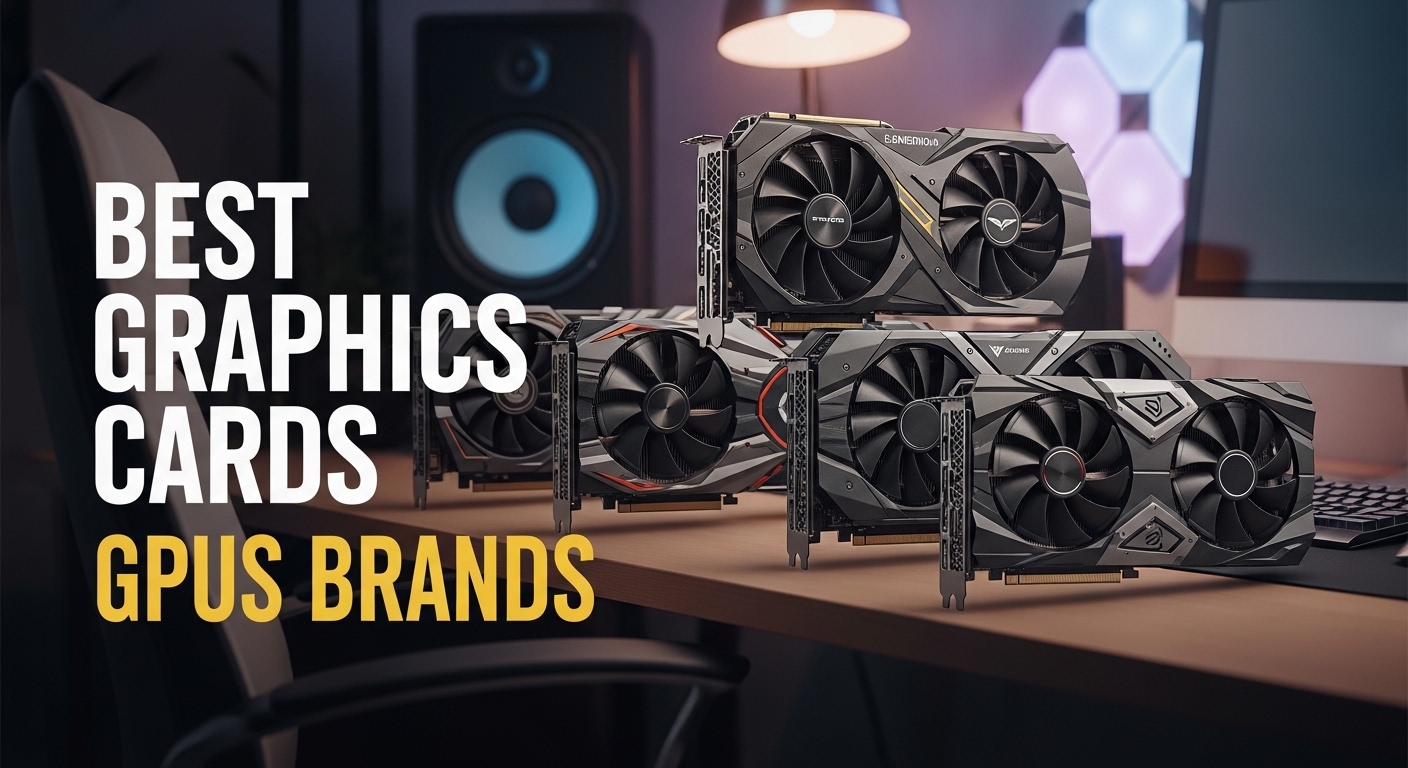
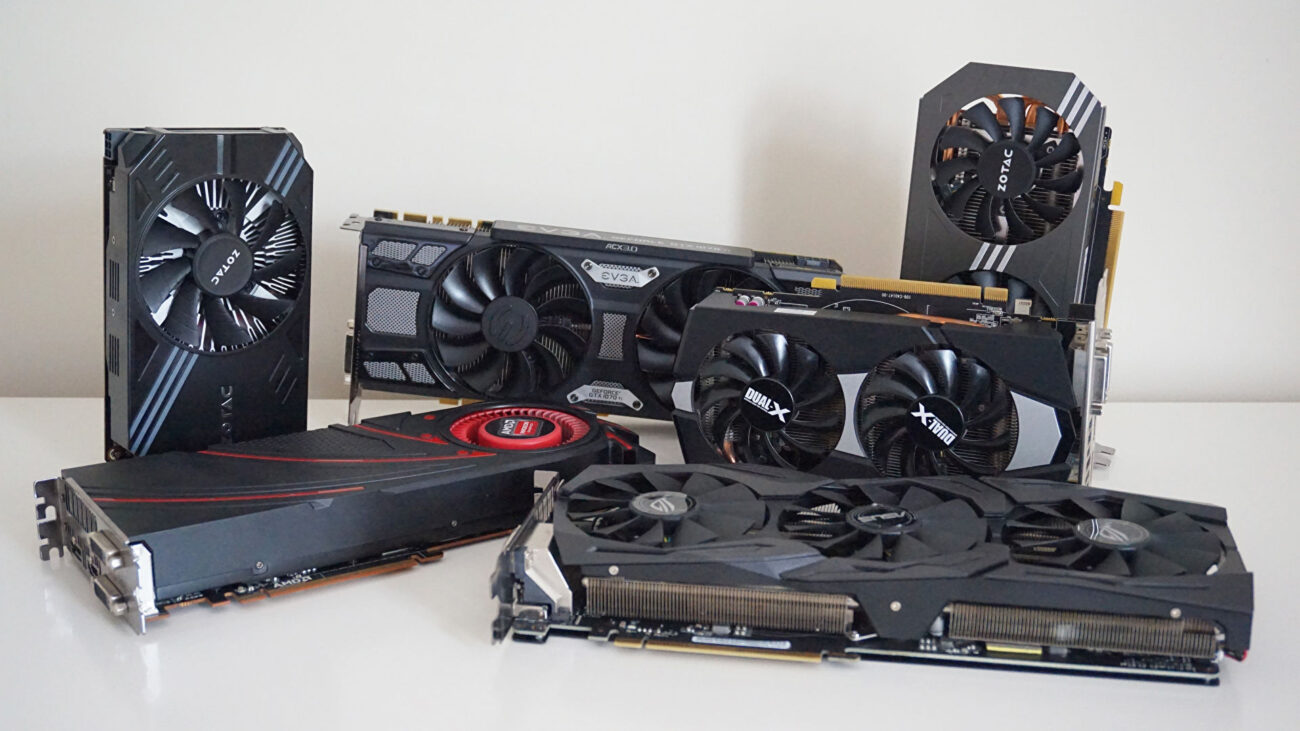


Best Graphics Cards GPUs Brands For Nvidia 2026 Best Graphics Cards GPUs Brands . Best GPUs For Gaming 2026 Top Picks For Every Buyer Buyserver Blog One 1300x731 . Best Graphics Cards For 4K Gaming 2026 Expert Reviews Guide Featured Image Ynzkmc8m . Best Budget Gaming GPU 2026 Top Picks Under 200 Switchblade Gaming Best Budget Gaming Gpu 2026.webp. Best Mid Range GPU 2026 Sweet Spot Picks Switchblade Gaming Best Mid Range Gpu 2026.webp
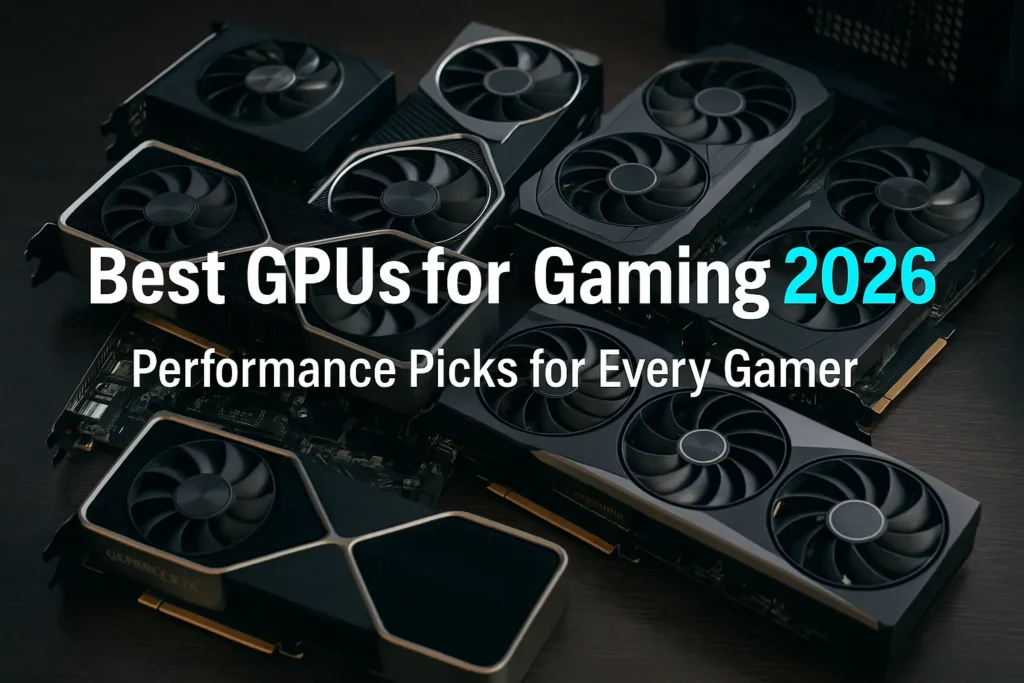
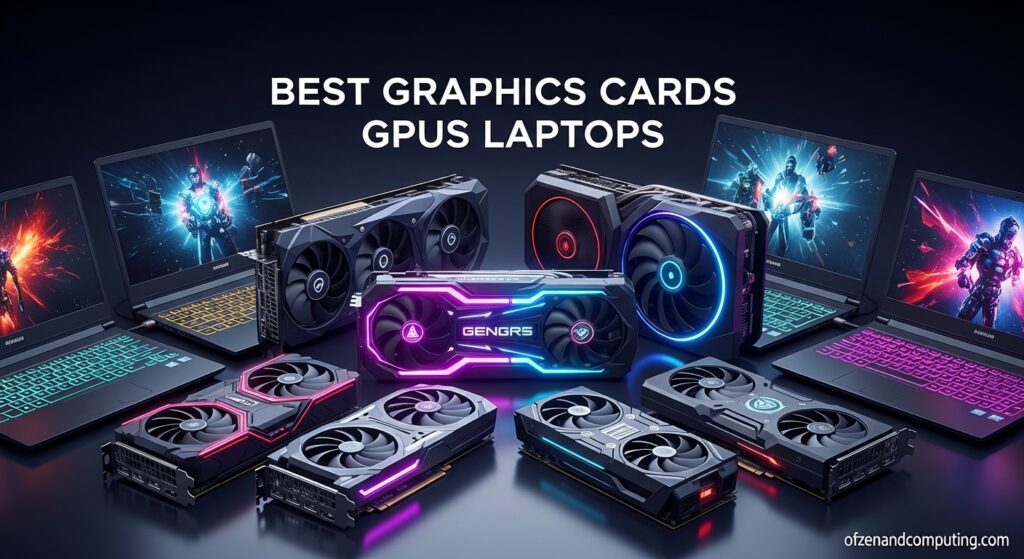
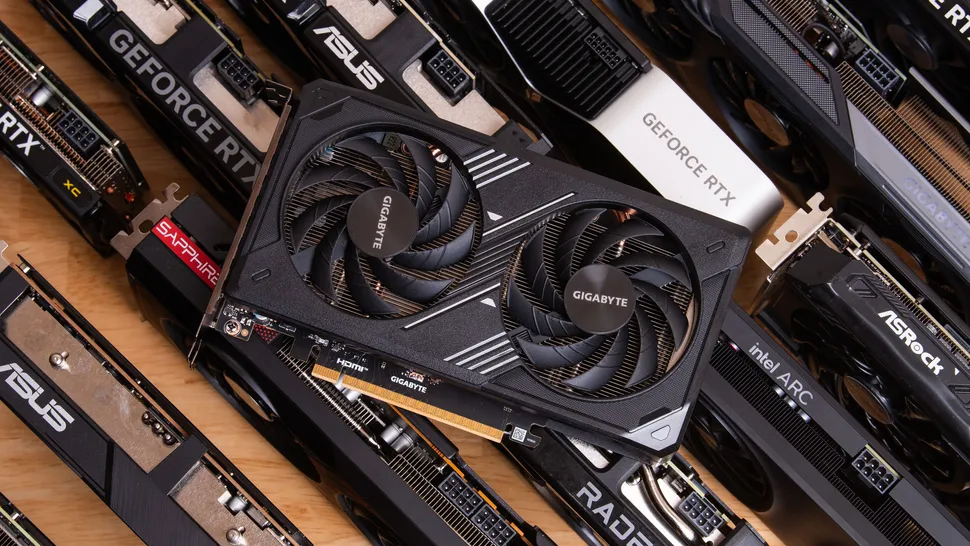
Best GPUs For Gaming 2026 Top VGA Cards Ranked By Performance Best Gpus For Gaming. 12 Best Graphics Cards GPUs Gaming 2026 Tested Reviewed Best Graphics Cards GPUs Laptops 1024x559 . Best Graphics Cards For Gaming In 2026 Tom S Hardware . Best Gaming PCs Of 2026 Tom S Hardware . 2026 GPU Price Rise AMD NVIDIA Graphics Card To Get More Expensive Gpu Price Rise 2026 Amd Nvidia
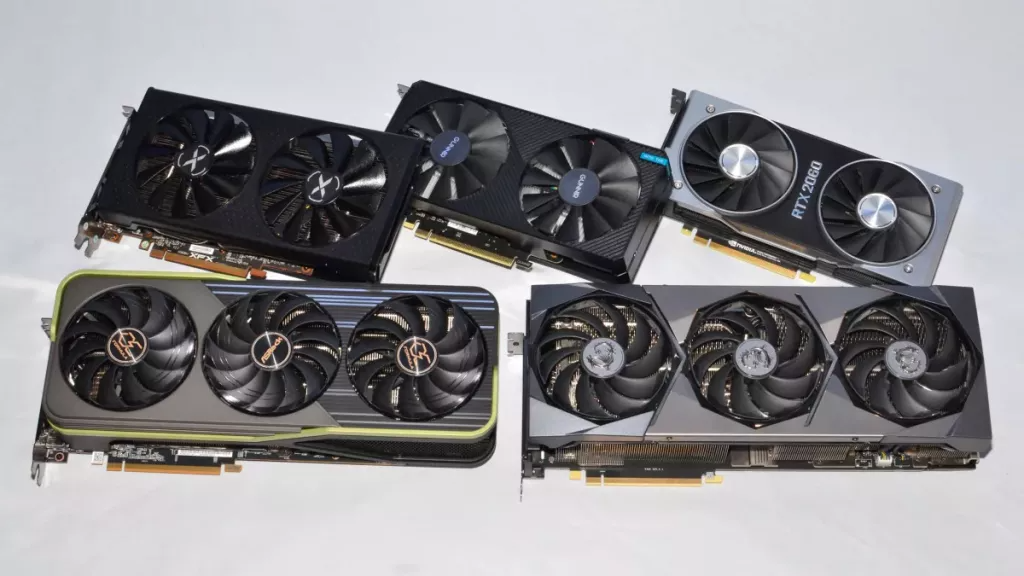
Best Graphics Cards For Gaming In 2026 Tom S Hardware . How Much GPU Should A Game Use Complete Guide What GPU Can Run 240hz Complete GPU Guide 1024x536 . Which GPU Should You Buy In 2026 Practical Guide For Gaming Which GPU Should You Buy In 2026 . NVIDIA Graphics Cards A Complete Guide To Performance Rankings And Top Budget Nvidia Graphics Cards For 2026 Best Performance For Your Money . Best RTX 2060 Graphics Card 2026 Our Top Picks PC Guide Best GPU For 1440p 144Hz

Best GPUs For Gaming 2026 Top VGA Cards Ranked By Performance 6 Best GPUs For AI And Deep Learning In 2026.webp. 13 Best GPUs For Gaming 2026 Top Graphics Cards Ranked Blog Banners 1 1 Scaled.webp. Best GPU For Gaming In 2026 Top Graphics Cards Best Gpu For Gaming 768x430 . Latest Graphics Cards For Gaming In 2026 UK Budget 1440p 4K Ranked Best Latest Graphics Cards 2026 Uk 430x287 . How Much Gpu Usage Is Normal Complete 2026 Guide How Much Gpu Usage Is Normal



Best Graphics Cards For Gaming In 2026 Top Graphics Cards Enfobay Best Graphics Cards 2026 For Gaming . Toms Hardware Gpu Hierarchy 2024 GPU Benchmark And Graphics Card 17.fit Lim.size 1050x . 13 Best GPUs For Gaming 2026 Top Graphics Cards Ranked Banner 11.webp. 2026 4K Gaming Monitors GPU Balance And Best Settings 2 3 1 . Best Graphics Cards For Gaming In 2026 Expert Graphics Card Trio RTX 5070 TI PRODUCT 900 X 600